


Frequently Asked Questions
Dante Seattle Membership Accounts
What has changed? And what do I need to do now?
As of June 2026, we now have a new membership management program. Active Dante Seattle members will have an account on our website. As an Active Dante Seattle member, you will be able to manage and renew your membership. You will also be able to see the history of your membership and, if you have registered for Italian language classes, that history as well. One major change is that in order to obtain the membership discount for an Italian language class from Dante Seattle, you will need to log into your account.
If you purchased your Dante Seattle Membership prior to June 2026, your account has already been created using the email address from your last membership order. If you haven’t done so already, please reset your password by entering your email address on the Reset Password page. This will send you an email containing instructions for resetting your password.
If you purchased your Dante Seattle Membership on or after June 2026, your account was created at the time of purchase. You should have received an email with instructions for creating a password.
To register for a class, be sure to log into your account via the My Account page first. This will allow you to select “Dante Member” when registering and gain access to the discounted rate.
How do I purchase a membership?
Learn more about the Dante Alighieri Society of Washington membership here.
How do I register for a class with my membership?
To register for a class, be sure to log into your account via the My Account page first. This will allow you to select “Dante Member” when registering and gain access to the discounted rate.
Can I add users to my family membership?
Yes. All family accounts are equipped with a feature that allows you to add additional users to your account. This will provide each family member with access to the member-discounted rates for the duration of your membership. Please follow these steps…
- Navigate to My Account > Team
- Select “Add Member” in the left hand column
- Enter your family member’s email address
- Select the Role. If you want the member to be able to add additional members, select “Manager”. Otherwise, leave it set to “Member”
- Click the “Add member” button
This will send an email to your family member with instructions on how to create their account.
Note: As the primary member, you can still freely register your family members for classes by using your account via the class registration form. You’ll find this option on Page 4 of the class registration form.
How do I manage my auto-renew membership?
You may view and manage active subscriptions via My Account > Subscriptions. From there, you will be able to pause, cancel, and/or update the payment method associated with your subscription.
Is it safe to save my payment information?
Yes. Our website does not store your information on our servers. All payment information is stored securely with our payment gateway (PayPal).
How do I change my membership?
If you need to make an adjustment to your membership, please reach out to [email protected] for assistance.

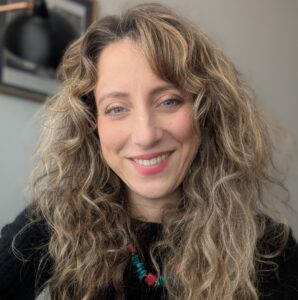
 Gabriella Vagnoli was born in Pisa, Tuscany, home of the famous Leaning Tower. She grew up in a multicultural family thanks to her Brazilian mom and remembers teaching Italian for the first time as a child to her Brazilian cousins. She obtained a Laurea in English and Spanish Language and Literature at the Università degli Studi di Pisa and during her college years spent a year in the University of Reading, UK, studying mainly the works of Shakespeare. After obtaining a Certificate as a Teacher of Italian (DITALS II) at the Università per Stranieri di Siena, she has taught in a full immersion school in Florence, a children's full immersion program in Chicago and a Community College in Illinois.
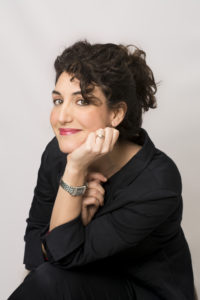
 Tiziana was born and raised in Sardinia, a beautiful Italian island in the Mediterranean Sea. She has always been passionate about foreign languages and cultures, and studied French and German at the Scuola Superiore Interpreti e Traduttori in Milan, where she obtained her first Foreign Languages and Interpreter BA degree. She then pursued her MA in English and German Language and Literature at IULM, one of the most prestigious universities in Milan, Italy for Language and Communication studies.
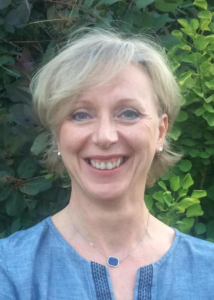

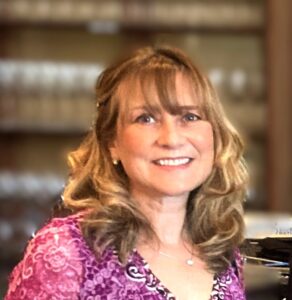 Nicla is a native of Napoli, Italy. She has a Laurea in Materie Letterarie (degree in humanities) and a Laurea in Pedagogia (degree in Education) from the Università degli Studi di Cassino. She earned her M.A in Italian and her PhD in Comparative Literature from the University of Washington. She has published articles and book chapters on gender and theater as well as politics and religion in Counter-Reformation Italy and in the last years, has been teaching Italian literature, language, and culture in different institutions. In addition to teaching in our program, Nicla is authorized to cover the role of esaminatrice and intervistatrice in our PLIDA Examination Board.
 Born in the fabulous 80’s, Isabella was raised in Rome where she got her Degree in Teaching and Translation in foreign languages at the University ‘La Sapienza’.
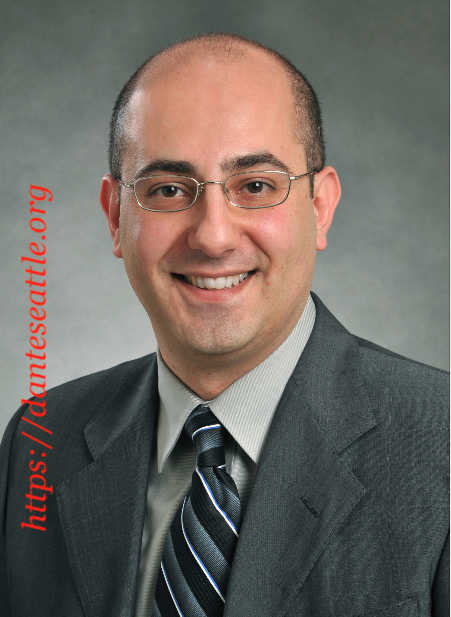
 Eric was born and raised in Como by an American mother and an Italian father. He holds a degree in Business Administration and Management from Bocconi University in Milan and a Master’s in Corporate and International Finance from Durham University in the UK. His international background led him to pursue a business career in the United States, ultimately settling in Seattle, where his wife grew up.